Smart Lock Review
The Schlage Sense Pro locked my front door before I could unlock it, then I fixed it
The Schlage Sense Pro uses ultra-wideband to unlock your front door as you approach, no keys, no codes, no phone taps. It is the first hands-free system this reviewer trusts, but its $399 price tag and exclusive reliance on Apple Home Key make it a hard sell for Android users, at least for now.
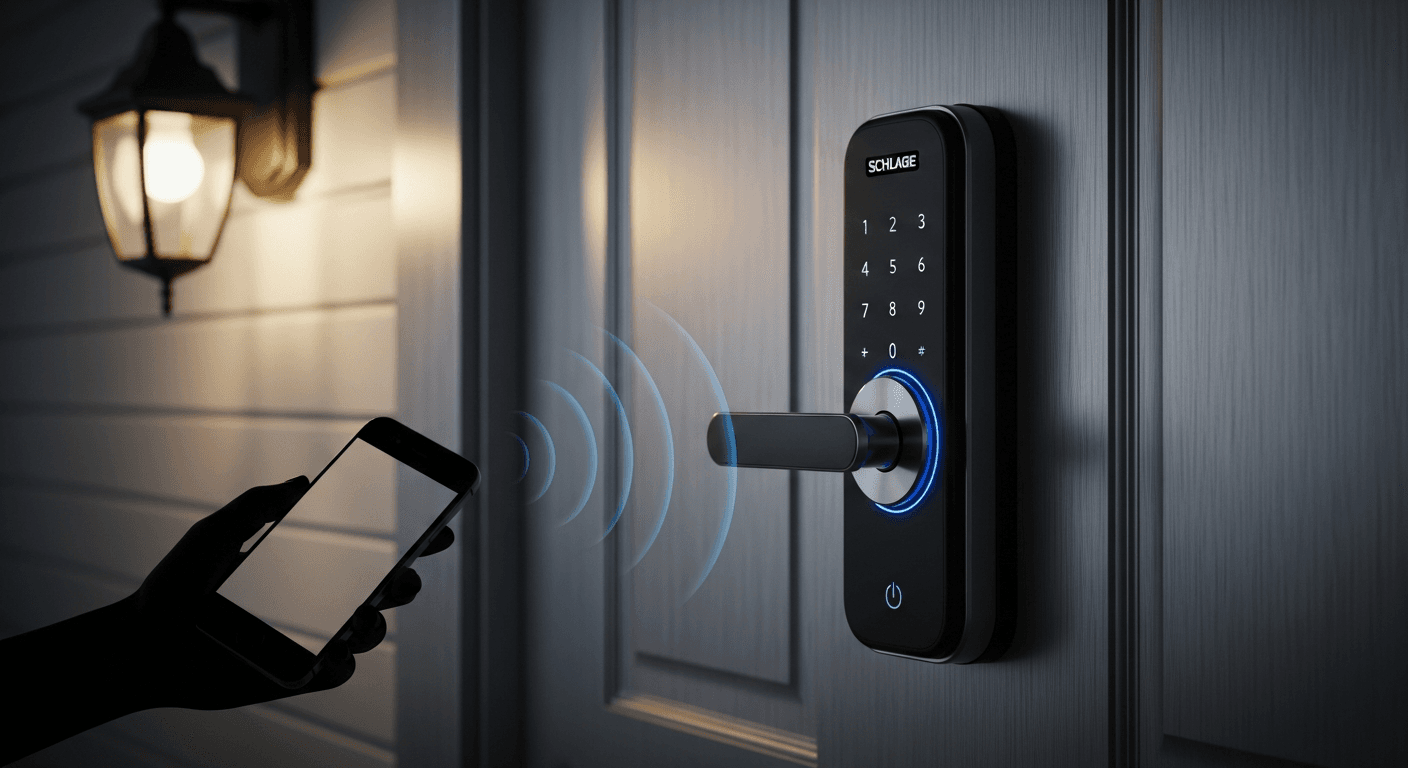
The Schlage Sense Pro looks good. It is sleek and discreet, the kind of lock that blends in until you notice what it can do. It uses ultra-wideband (UWB) to unlock as I walk up to my front door. I do not have to tap my phone, enter a code, or press a finger to it. I have tested geofencing and Bluetooth-based hands-free systems before. They left me waiting at the door too many times. UWB is faster and more reliable. This is the first hands-free system I actually trust.
Design and specs
The $399 Sense Pro is Schlage's first smart lock with UWB auto-unlock, first to support Matter-over-Thread, and first without a physical keyhole. It works with Apple Home Key for hands-free and tap-to-unlock access on an iPhone or Apple Watch. On the front, there is no visible hardware, just a faint Schlage logo and a keypad that appears when you tap the lock. It looks high-tech enough to belong on the USS Enterprise but does not look out of place on a residential front door.
These are meaningful upgrades for anyone comfortable with smart locks. No one in my family has carried a physical door key in nearly a decade. I would not give up the ability to control my lock remotely or send digital keys to visitors.
But for some people, this lock might be a touch too smart. With no keyway and a touchscreen keypad that disappears when not in use, it is not immediately obvious how to use it. Others, people in households with Android users, may want to wait. The Pro should work with Samsung and Google devices for hands-free and tap-to-unlock later this year, thanks to Aliro. Right now, it only works with iPhones and Apple Watches.
Pros and cons
The good
- Hands-free unlocking with UWB is fast and reliable
- Other unlock methods are also super speedy
- Nine-plus months battery life on Thread
- Clean, compact design
- Works with Apple Home Key
- Supports Matter, Thread, and Wi-Fi
The bad
- Expensive
- Hands-free requires an iPhone or Apple Watch and an Apple Home hub
- No Android support for hands-free at launch
- Thread caused some setup issues
- Not good for gardeners
UWB performance
The Sense Pro is one of two residential deadbolts that support UWB hands-free unlocking using Apple Home Key. (The other is Aqara's U400, which I reviewed earlier this year.) This is different from existing hands-free solutions that depend on geofencing, Bluetooth, Wi-Fi, and an app running on your phone. I have tested all of them and have stood at a locked door waiting one too many times. UWB has not failed me yet.
UWB interprets signals from the antenna in the lock and the UWB radio in your phone or watch. It determines not just where you are and how close you are, but also whether you are actually approaching the door by tracking your distance, speed, and angle of approach. Schlage calls its implementation Schlage Converge.
Hands-free unlocking is the main reason to buy this lock. Keep in mind that you will also need an Apple Home hub to use it with Apple Home Key. In testing, it worked quickly and smoothly in most scenarios. It unlocked at the right moment, so I could just press the handle and walk in. It never unlocked before I got there or after I had walked through the door. When my hands were full, I did not have to fiddle with a key, keypad, or any other method.
It never unlocked when I did not want it to. It ignored me while I sat on the porch, walked past the house, or moved around in the front yard. It only ever unlocked when I walked up to the door to open it, and it even worked while I was on a phone call. The only times it failed to unlock immediately were when I had my phone in my back pocket or in a backpack. I had to turn slightly for it to connect.
It also unlocked if I returned quickly, whether I ran back from the car to grab something or walked back from the garage on the side of the house. But if I only walked a few steps, it would not unlock. Reassuringly, it never unlocked when I was inside.
Other unlock methods and security
Unlocking with the other available methods, tap-to-unlock, app unlock, and keypad, was also fast and smooth in every instance. The deadbolt moved cleanly and never jammed. Response times were instant in all cases, and the auto-lock feature worked reliably. I could also lock the door manually by pressing on the LED light bar.
Having my door unlock automatically feels magical, but for some people it sounds scary. The good news is that the tech is designed to be secure. UWB unlocking uses a direct lock-to-phone handshake; it does not use cellular data or Wi-Fi, and it works during a power outage. A Scrambled Timestamp Sequence (STS) protects the lock from signal eavesdropping and tampering. Schlage says the lock enforces a UWB distance check to foil attempted relay attacks, of the kind seen on some UWB-enabled car keys.
If you are worried about the door unlocking too soon, Schlage offers two alternative modes: Touch, which will not unlock until you touch the lock, and Delay, which adds a short pause before unlocking.
Another concern: what if someone has your phone. Using UWB unlocking in Apple Wallet requires Express Mode to be turned on, which bypasses Face ID or Touch ID, that is why it is hands-free. So yes, if someone has your phone, they could open your door, just as they could with your physical key. However, Express Mode only works if your phone has been unlocked by you within the last day.
Limitations and alternatives
My main frustration with UWB unlocking is that you have to have your phone or watch on you. This bothered my husband the most. He does a lot of work in the garden and garage without his phone and does not have an Apple Watch, so he mostly uses the keypad. If you are like him, a lock with fingerprint or facial recognition unlocking is a faster option than entering a code, and you always have your finger or your face with you.
If you want the best of both worlds, the Aqara U400 may be a better fit. It has a keypad and UWB hands-free unlocking with Apple Home Key, like the Schlage, but it also includes a fingerprint reader and a physical keyway. At $270, the U400 is still expensive for a smart lock, but it is cheaper than the Schlage and has a door sense feature that tells you if your door is open or closed, something the Sense Pro lacks.
However, the U400 is about double the size of the Sense Pro and far less elegant-looking. It uses a large rechargeable battery that requires a bulky rear housing, whereas the Pro uses four AAs. The Pro feels more premium overall, with an all-metal design, and it has a higher BHMA physical security rating. The Pro also offers built-in Wi-Fi for out-of-home control; the Aqara lock requires a separate hub.
I tested the Schlage and Aqara auto-unlock capabilities side by side. Their performance was largely identical, even down to the back-pocket fail, with the Pro being just a touch faster. The only time it was not was when testing the claim that UWB can detect velocity and unlock faster if you approach faster. The Aqara unlocked as I got to the door, while the Schlage took a second longer.
Setup woes
I did struggle to set up the Sense Pro. Physical installation was simple, and connecting to the Schlage app was easy. But pairing to Apple Home failed repeatedly. You can use either app to control the lock or both simultaneously, but the Apple Home app is required for hands-free unlocking. The issue appears to have been Thread connectivity. I eventually solved it with the help of the Thread Tools app, several Thread border router reboots, and moving a Thread smart plug near the door. That feels like too much to ask just to set up a smart lock. Once connected, it has been rock solid and responds instantly to app control.
What is Aliro?
The Schlage Sense Pro is compatible with Aliro. That is a new open standard for cross-platform digital keys developed by Apple, Samsung, Google, and major lock makers. It is run by the Connectivity Standards Alliance, the same group behind Matter. The promise: an Aliro lock can be opened with any authorized smartphone or smartwatch, regardless of manufacturer. The Aliro standard includes NFC tap-to-unlock, Bluetooth unlock (via an app), and, for locks like the Sense Pro that have UWB radios, hands-free unlocking. The first Aliro spec arrived in February. Apple has adopted it. Samsung has partially adopted it. Google has not adopted it yet, though Google Wallet just received Aliro certification, so it could be close.
Bottom line
The Schlage Sense Pro nails UWB hands-free unlocking. It is fast, reliable, and finally delivers what geofencing never could: a lock that knows the difference between me arriving home and me faffing about on the front porch. Its discreet design, Matter-over-Thread reliability, and Schlage's build quality make this an excellent smart lock, if you are in an iPhone household with $400 to spend. Everyone else should wait. The Aqara U400 supports tap-to-unlock on Samsung phones and is less expensive. But the Sense Pro is the first device I have tested that successfully builds futuristic technology into a lock that does not look like a lock at all. If you have been waiting for that, the Schlage Sense Pro is for you.